 Wimlet
Keep water in view.
Log a glass without digging through menus. Set your goal and glass size in ml or fl oz.
Water750 / 2,000 ml
Wimlet reminds you to drink water, stretch, and walk.
Finish an action. Your character celebrates with you.
$7.99 once · macOS 14+

All I know is, I need it.Rg Enzon, creator of Wimlet
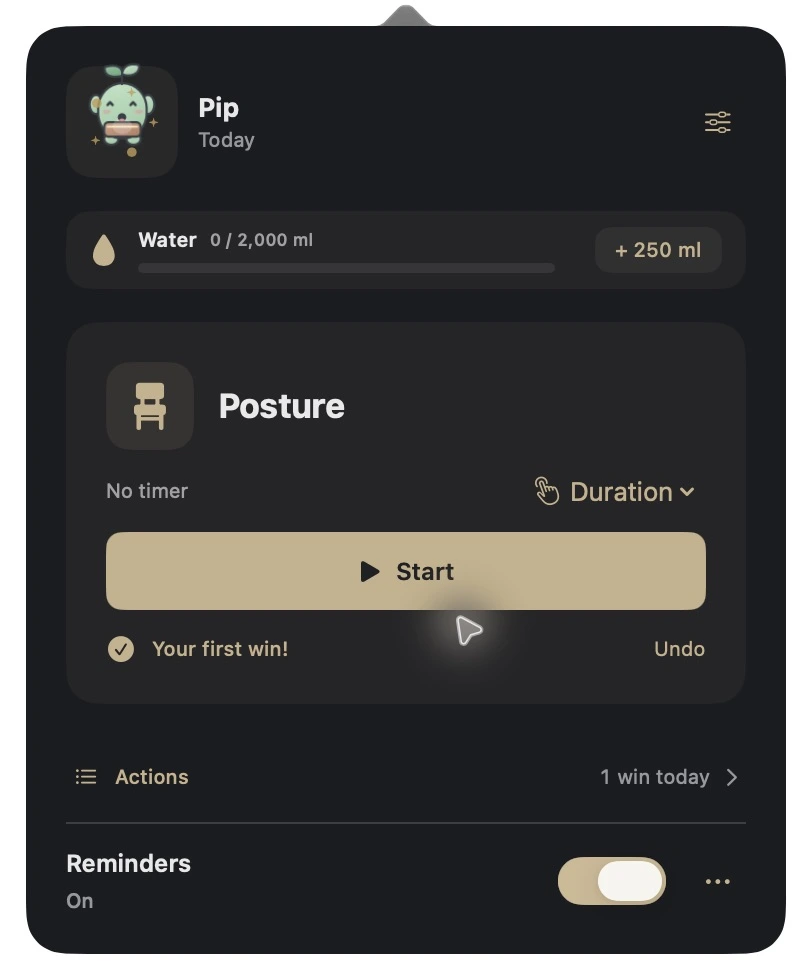
Log a glass without digging through menus. Set your goal and glass size in ml or fl oz.
Choose how long. Start, pause, and complete when you’re done.
Today starts fresh. Your week keeps the actions you completed.
Set an interval for each action, or mix them up with surprise reminders.
Reminders wait through busy Calendar events and full-screen work, then resume.
Add your own actions. Choose your colors and name your character.
No account. No ads. No analytics.
Six characters who move with you and cheer when you finish.

Pip
Hey, I’m Rg Enzon. I can spend the whole day at my computer without realizing it.
I built Wimlet to remind me to drink water, stretch, and step away. Starting an action and marking it complete helps me hold myself accountable.
All I know is, I need it.
Rg Enzon
macOS 14+ · Apple Silicon & Intel
In your Mac’s menu bar. Click your character to log water, start an action, or see your progress.
Yes. Add custom actions and icons, choose how long each lasts, and set reminder intervals separately.
Optional Calendar quiet time holds reminders during busy, timed events. Full-screen quiet mode can also wait while you’re focused.
Today’s water and action counts reset each local day. Your activity history and weekly progress remain.
$7.99 USD once. No subscription or account. Your activity stays on your Mac.
Reminders run while Wimlet is open and your Mac is awake. You can add Wimlet to macOS Login Items to open it when you sign in.
Wimlet runs on macOS 14 or later, on Apple Silicon and Intel Macs.
$7.99 once. No subscription.
Get Wimlet for Mac